

The menu
The side menu groups the sections of Velyti. It shows only the ones your role allows.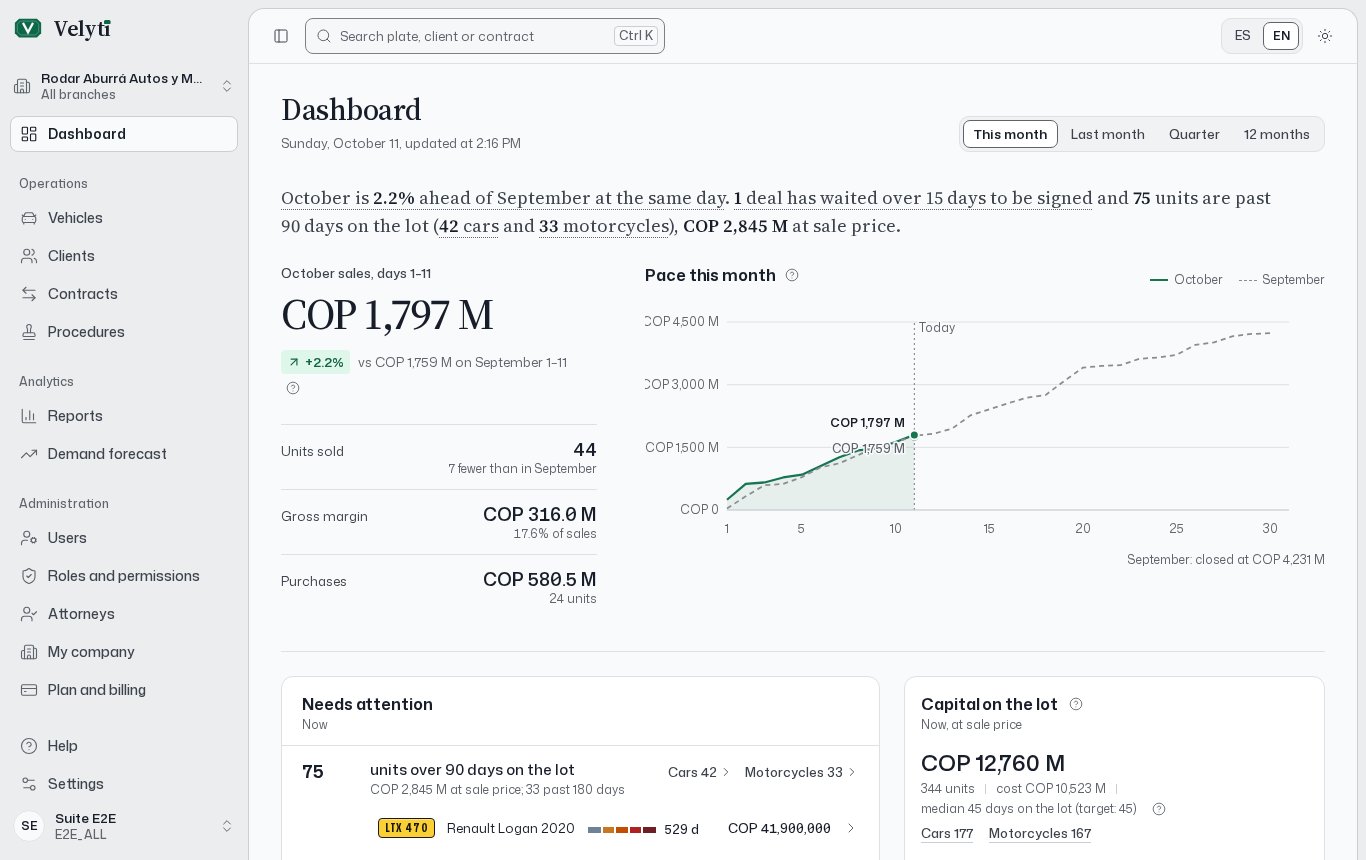
The side menu, the search box and the language switcher on the Dashboard.
Your account entries are My profile, Settings, Plan and billing, Support and Help. First steps is part of Help.
Select Collapse menu to give the content more room, and Expand menu to bring it back. You can also press Ctrl B. On a phone, Open menu opens the navigation and Quick access keeps the main sections within reach.
Global search
Press Ctrl K from any screen, or select Search plate, client or contract at the top, to open the Global search.- Type at least two characters. Search covers vehicles, clients and contracts.
- Try a plate, an ID number or a contract number.
- Move through the results with the arrow keys and press Enter to open one. If you type a plate, Enter opens that vehicle directly.
- On a result, press Tab or the right arrow to see its actions, such as Preview, Record sale or Copy plate. Ctrl Enter runs the second action.
- The search also creates records (New car, New motorcycle, New person, New company, New contract), finds terms from the glossary and runs commands.
- Press Esc to close it.
Language and theme
Change the language between Español and English with the language selector in the header. Change the Theme between Light, Dark and System in Settings. Both are also available as commands in the global search: Change language and Change theme.Keyboard shortcuts
Shortcuts work whenever you are not typing in a field. Press? to see the full list, or open the Global search and choose Keyboard shortcuts.
The go-to shortcuts appear only for the sections your role allows.
If you use a screen reader or voice dictation and single keys fire by accident, turn off Single-key shortcuts in Settings. The ones with Ctrl keep working.