

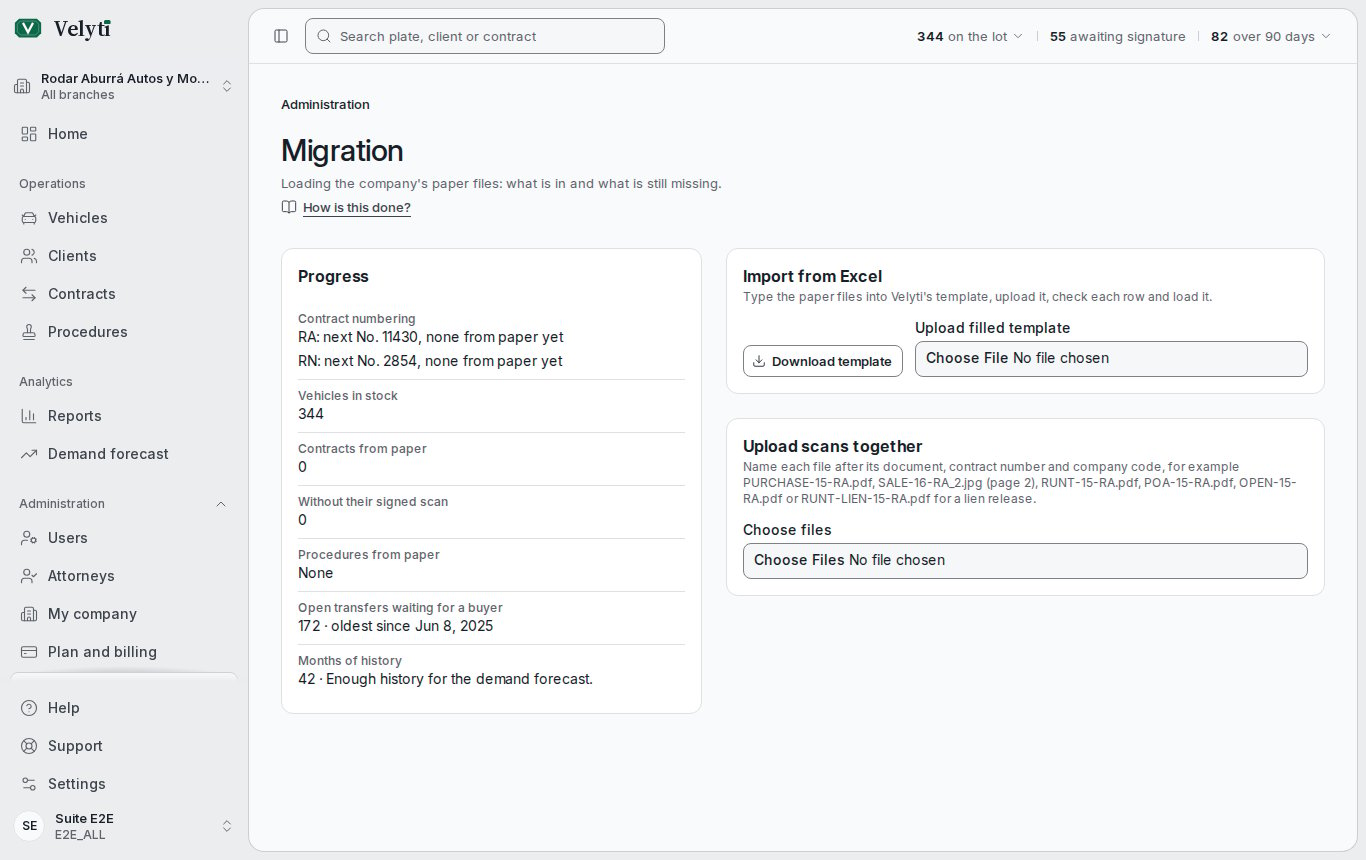
The progress of the migration and the bulk upload of scans.
Progress
- Contract numbering: for each company code, the next number and how many contracts come from paper, with the highest printed number.
- Vehicles in stock, Contracts from paper and those Without their signed scan, listed with a link to each.
- Procedures from paper, by status. A warning lists paper transfers still a draft whose contract is completed: record their paper outcome.
- Open transfers waiting for a buyer, with the oldest.
- Months of history: the demand forecast needs 7 months with sales or purchases.
Import from Excel
To load many contracts at once, select Download template, type one row per paper contract and upload it with Upload filled template. It needs permission to create contracts.- One row per contract: a vehicle’s purchase, then its sale, oldest first. The vehicle’s columns go on its first row.
- For a client that is a company, choose Tax ID (NIT) as Document type, fill in Company name (NIT client) and the legal representative’s columns, and leave First names and the client’s surnames empty. The NIT may carry its check digit after a dash; a wrong digit marks the row. A company already in Velyti with that NIT is reused.
- A sale needs the vehicle’s purchase, in the file or already in Velyti. A purchase with no paper contract leaves Printed number empty.
- A vehicle that the file buys and sells, completed, can leave VIN, Serial number, Bodywork, Fuel, Displacement (cc) and Power (HP) empty when its papers do not show them. It is shown without them and cannot be bought back until they are filled in. A vehicle that stays in stock needs them.
- Transfer on paper records what the paper shows the transfer came to; leave it empty when the transfer is still pending.
Upload scans together
Name each file after its document, contract number and company code, and add_2, _3 for further pages:
Files named in Spanish (
COMPRA, VENTA, PODER, CARTA, LEV) are read too. Choose the files: the table shows each document and its Status, To register, Adds pages, Already signed or Contract not found. Then select the button that uploads them, for example Upload 3 documents. Each document is registered as signed on paper, as in Documents.