> ## Documentation Index
> Fetch the complete documentation index at: https://docs.velyti.com/llms.txt
> Use this file to discover all available pages before exploring further.
# Vehicle record
> Everything about one vehicle: photos, registration data, alerts, contracts and history.
The vehicle record is a single page for one car or motorcycle. Open it from the [vehicle list](/inventory/vehicles) with **Open record**.
 ## What you see
At the top, the summary shows the plate, the vehicle, its model year and its status, together with:
* **On the lot**: days since arrival, and the next checkpoint (price review, price adjustment, management review, clearance).
* **Margin on cost**: the sale price against what it cost. For a sold vehicle the figure is marked **realized**, using the **Realized sale price**.
* **Open transfer**, when the vehicle was bought with an open transfer, with its due date in working days.
Below it you find these sections:
| Section | What it holds |
| - | - |
| **Photos** | The gallery. One photo is the **Cover**. |
| **Specifications** | Class, bodywork, fuel, transmission, mileage, capacity, colour and the rest of what the transit licence says. |
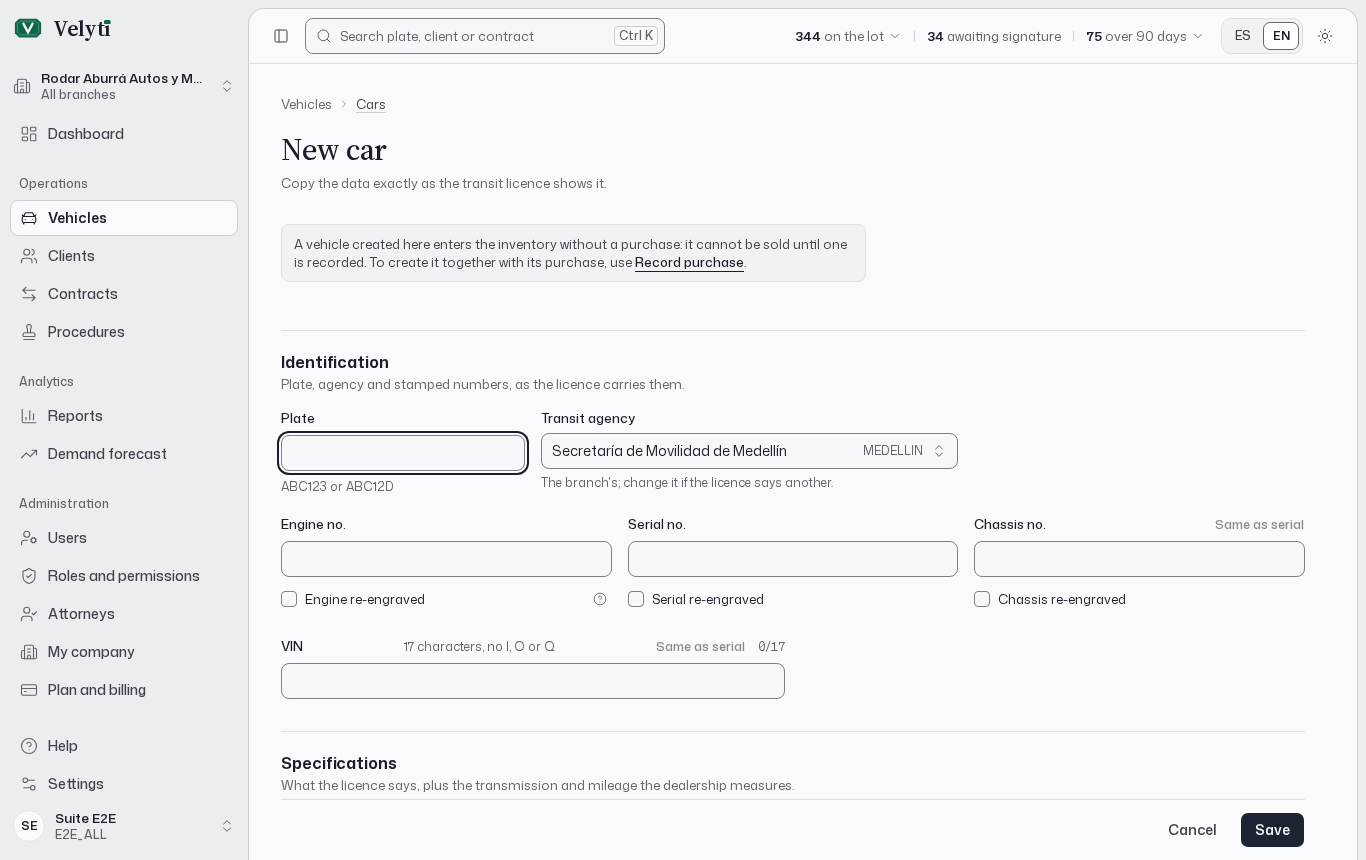
| **Identification** | Plate, **Transit agency**, VIN and the engine, serial and chassis numbers, including whether each is **Re-engraved**. |
| **Registration** | **Branch**, **Registered owner** and the transit data. |
| **Alerts and limitations** | Liens, seizures and other limitations on the vehicle. |
| **Contracts** | Every contract that involves this vehicle. |
| **Vehicle history** | When it arrived, its purchase, its sale and who recorded them. |
**Special conditions** (armour, its removal, import or auction) appear only when they apply.
## Photos
Choose **Add photos** or drop them on the gallery. Photos must be JPG, PNG or WebP up to the size shown on screen. On a phone you can take a photo directly.
To change the cover, open a photo and choose **Use as cover**. **Delete photo** removes one. Without photos, the history reminds you to add some.
Uploading photos needs permission to create vehicles; changing the cover and deleting need the update and delete permissions.
## RUNT registration data
Copy the data exactly as the transit licence shows it. The record stores what the RUNT form needs: the **Registered owner** (section 21 of the RUNT form), the **Transit agency** that issued the licence, the numbers stamped on the vehicle and any special conditions. The platform uses this data to print the RUNT form and the contract, so a typo here reaches the documents. See [Documents](/contracts/documents).
## Status
The status control in the summary changes the vehicle between **Available**, **In use**, **In maintenance**, **In repair** and **Inactive**. A toast offers **Undo** right after.
| Status | Meaning |
| - | - |
| **Available** | Ready to show and sell. |
| **In use** | Used by the dealership (transfers, test drives); still in stock. |
| **In maintenance** | Being prepared or serviced; back on sale soon. |
| **In repair** | In the shop for damage; not shown until repaired. |
| **Inactive** | Off sale for now (held, in paperwork); still in stock. |
| **Sold** | Set to sold when the sale is completed. |
**Sold** is not chosen by hand: it is **Set by the sale**.
## Alerts and limitations
Record a lien, seizure, theft report or other limitation exactly as the transit licence or the title history shows it. Choose **Add alert** and fill **Kind**, **In favour of**, **NIT**, **Reference**, **Registered on** and **Notes**.
* **Lift** marks the alert as lifted, with the date and a note. It stays in the history and is no longer printed on new contracts.
* **Delete** removes it. If a contract uses it, deletion is refused: lift it instead.
Adding, lifting and deleting need permission to update vehicles (delete also needs delete permission).
## Actions
Depending on your permissions, the record offers:
* **Record sale**, unless the vehicle is sold. If it cannot be sold yet, a note says why: its purchase is missing, still pending, or a contract is in progress.
* **Edit**, to change any field.
* **New transfer** and **Lien release**, to start the procedures. See [Procedures](/procedures/procedures).
* **Change branch**, only between branches of the same legal entity and never for a sold vehicle. To move a vehicle to another legal entity you record a sale and a purchase between the two.
* **Delete**.
A vehicle with contracts or with filed procedures cannot be deleted. To take it off the lot, mark it **Inactive**: it is no longer offered and keeps its history. Deleting a vehicle also deletes its photos and alerts, and cannot be undone.
This documentation is built and hosted on [Mintlify](https://mintlify.com), a developer documentation platform.
## What you see
At the top, the summary shows the plate, the vehicle, its model year and its status, together with:
* **On the lot**: days since arrival, and the next checkpoint (price review, price adjustment, management review, clearance).
* **Margin on cost**: the sale price against what it cost. For a sold vehicle the figure is marked **realized**, using the **Realized sale price**.
* **Open transfer**, when the vehicle was bought with an open transfer, with its due date in working days.
Below it you find these sections:
| Section | What it holds |
| - | - |
| **Photos** | The gallery. One photo is the **Cover**. |
| **Specifications** | Class, bodywork, fuel, transmission, mileage, capacity, colour and the rest of what the transit licence says. |
| **Identification** | Plate, **Transit agency**, VIN and the engine, serial and chassis numbers, including whether each is **Re-engraved**. |
| **Registration** | **Branch**, **Registered owner** and the transit data. |
| **Alerts and limitations** | Liens, seizures and other limitations on the vehicle. |
| **Contracts** | Every contract that involves this vehicle. |
| **Vehicle history** | When it arrived, its purchase, its sale and who recorded them. |
**Special conditions** (armour, its removal, import or auction) appear only when they apply.
## Photos
Choose **Add photos** or drop them on the gallery. Photos must be JPG, PNG or WebP up to the size shown on screen. On a phone you can take a photo directly.
To change the cover, open a photo and choose **Use as cover**. **Delete photo** removes one. Without photos, the history reminds you to add some.
Uploading photos needs permission to create vehicles; changing the cover and deleting need the update and delete permissions.
## RUNT registration data
Copy the data exactly as the transit licence shows it. The record stores what the RUNT form needs: the **Registered owner** (section 21 of the RUNT form), the **Transit agency** that issued the licence, the numbers stamped on the vehicle and any special conditions. The platform uses this data to print the RUNT form and the contract, so a typo here reaches the documents. See [Documents](/contracts/documents).
## Status
The status control in the summary changes the vehicle between **Available**, **In use**, **In maintenance**, **In repair** and **Inactive**. A toast offers **Undo** right after.
| Status | Meaning |
| - | - |
| **Available** | Ready to show and sell. |
| **In use** | Used by the dealership (transfers, test drives); still in stock. |
| **In maintenance** | Being prepared or serviced; back on sale soon. |
| **In repair** | In the shop for damage; not shown until repaired. |
| **Inactive** | Off sale for now (held, in paperwork); still in stock. |
| **Sold** | Set to sold when the sale is completed. |
**Sold** is not chosen by hand: it is **Set by the sale**.
## Alerts and limitations
Record a lien, seizure, theft report or other limitation exactly as the transit licence or the title history shows it. Choose **Add alert** and fill **Kind**, **In favour of**, **NIT**, **Reference**, **Registered on** and **Notes**.
* **Lift** marks the alert as lifted, with the date and a note. It stays in the history and is no longer printed on new contracts.
* **Delete** removes it. If a contract uses it, deletion is refused: lift it instead.
Adding, lifting and deleting need permission to update vehicles (delete also needs delete permission).
## Actions
Depending on your permissions, the record offers:
* **Record sale**, unless the vehicle is sold. If it cannot be sold yet, a note says why: its purchase is missing, still pending, or a contract is in progress.
* **Edit**, to change any field.
* **New transfer** and **Lien release**, to start the procedures. See [Procedures](/procedures/procedures).
* **Change branch**, only between branches of the same legal entity and never for a sold vehicle. To move a vehicle to another legal entity you record a sale and a purchase between the two.
* **Delete**.
A vehicle with contracts or with filed procedures cannot be deleted. To take it off the lot, mark it **Inactive**: it is no longer offered and keeps its history. Deleting a vehicle also deletes its photos and alerts, and cannot be undone.
This documentation is built and hosted on [Mintlify](https://mintlify.com), a developer documentation platform.